The Shorthand Guide to Everything Claude Code
Complete setup after 10 months of daily use: skills, hooks, subagents, MCPs, plugins, tips & tricks. By the Anthropic hackathon winner.
title: "The Shorthand Guide to Everything Claude Code" description: "Complete setup after 10 months of daily use: skills, hooks, subagents, MCPs, plugins, tips & tricks. By the Anthropic hackathon winner." section: "guide" readTime: "15 min" badge: "ECC"
Been an avid Claude Code user since the experimental rollout, and won the Anthropic × Forum Ventures hackathon with zenith.chat alongside @DRodriguezFX — completely using Claude Code.
Here's my complete setup after 10 months of daily use: skills, hooks, subagents, MCPs, plugins, and what actually works.
Skills and Commands
Skills are the primary workflow surface. They act like scoped workflow bundles: reusable prompts, structure, supporting files, and codemaps when you need a particular execution pattern.
After a long session of coding with Opus 4.5, you want to clean out dead code and loose .md files? Run /refactor-clean. Need testing? /tdd, /e2e, /test-coverage. Those slash entries are convenient, but the real durable unit is the underlying skill. Skills can also include codemaps — a way for Claude to quickly navigate your codebase without burning context on exploration.
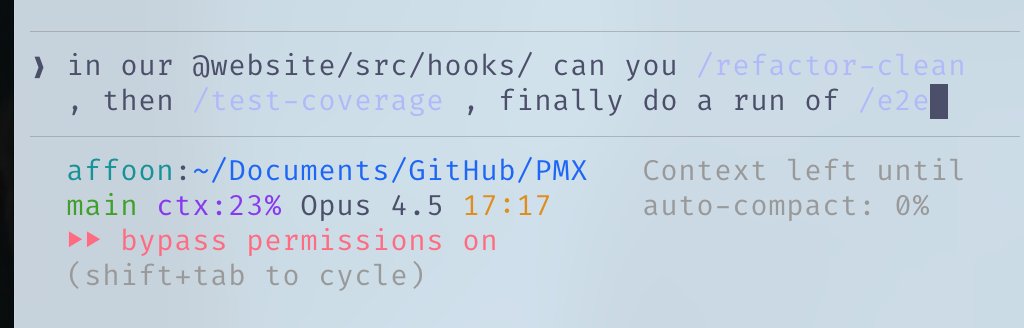
ECC still ships a commands/ layer, but it is best thought of as legacy slash-entry compatibility during migration. The durable logic should live in skills.
- Skills:
~/.claude/skills/— canonical workflow definitions - Commands:
~/.claude/commands/— legacy slash-entry shims when you still need them
# Example skill structure
~/.claude/skills/
  pmx-guidelines.md      # Project-specific patterns
  coding-standards.md    # Language best practices
  tdd-workflow/          # Multi-file skill with SKILL.md
security-review/ # Checklist-based skillHooks
Hooks are trigger-based automations that fire on specific events. Unlike skills, they're constricted to tool calls and lifecycle events.
Hook Types:
- PreToolUse — Before a tool executes (validation, reminders)
- PostToolUse — After a tool finishes (formatting, feedback loops)
- UserPromptSubmit — When you send a message
- Stop — When Claude finishes responding
- PreCompact — Before context compaction
- Notification — Permission requests
Example: tmux reminder before long-running commands
{
  "PreToolUse": [
    {
      "matcher": "tool == \"Bash\" && tool_input.command matches \"(npm|pnpm|yarn|cargo|pytest)\"",
      "hooks": [
        {
          "type": "command",
          "command": "if [ -z \"$TMUX\" ]; then echo '[Hook] Consider tmux for session persistence' >&2; fi"
        }
      ]
    }
  ]
}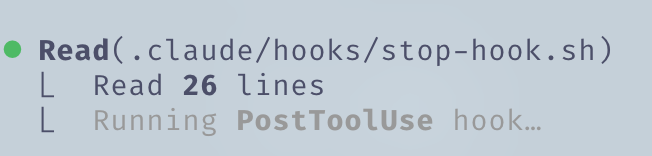
Pro tip: Use the hookify plugin to create hooks conversationally instead of writing JSON manually. Run /hookify and describe what you want.
Subagents
Subagents are processes your orchestrator (main Claude) can delegate tasks to with limited scopes. They can run in background or foreground, freeing up context for the main agent.
Subagents work nicely with skills — a subagent capable of executing a subset of your skills can be delegated tasks and use those skills autonomously. They can also be sandboxed with specific tool permissions.
# Example subagent structure
~/.claude/agents/
  planner.md             # Feature implementation planning
  architect.md           # System design decisions
  tdd-guide.md           # Test-driven development
  code-reviewer.md       # Quality/security review
  security-reviewer.md   # Vulnerability analysis
  build-error-resolver.md
  e2e-runner.md
refactor-cleaner.mdConfigure allowed tools, MCPs, and permissions per subagent for proper scoping.
Rules and Memory
Your .rules folder holds .md files with best practices Claude should always follow. Two approaches:
- Single CLAUDE.md — Everything in one file (user or project level)
- Rules folder — Modular
.mdfiles grouped by concern
~/.claude/rules/
  security.md      # No hardcoded secrets, validate inputs
  coding-style.md  # Immutability, file organization
  testing.md       # TDD workflow, 80% coverage
  git-workflow.md  # Commit format, PR process
  agents.md        # When to delegate to subagents
performance.md # Model selection, context managementExample rules:
- No emojis in codebase
- Refrain from purple hues in frontend
- Always test code before deployment
- Prioritize modular code over mega-files
- Never commit
console.logs
MCPs (Model Context Protocol)
MCPs connect Claude to external services directly. Not a replacement for APIs — it's a prompt-driven wrapper around them, allowing more flexibility in navigating information.
Example: Supabase MCP lets Claude pull specific data, run SQL directly upstream without copy-paste. Same for databases, deployment platforms, etc.

Chrome in Claude: A built-in plugin MCP that lets Claude autonomously control your browser — clicking around to see how things work.
CRITICAL: Context Window Management
Be picky with MCPs. Keep all MCPs in user config but disable everything unused. Navigate to /plugins and scroll down or run /mcp.
Your 200k context window before compacting might only be 70k with too many tools enabled. Performance degrades significantly.
Rule of thumb: Have 20–30 MCPs in config, but keep under 10 enabled / under 80 tools active.
# Check enabled MCPs
/mcp

# Disable unused ones in ~/.claude/settings.json or in the current repo's .mcp.jsonPlugins
Plugins package tools for easy installation instead of tedious manual setup. A plugin can be a skill + MCP combined, or hooks/tools bundled together.
Installing plugins:
# Add a marketplace (mgrep plugin by @mixedbread-ai)
claude plugin marketplace add https://github.com/mixedbread-ai/mgrep

# Open Claude, run /plugins, find new marketplace, install from there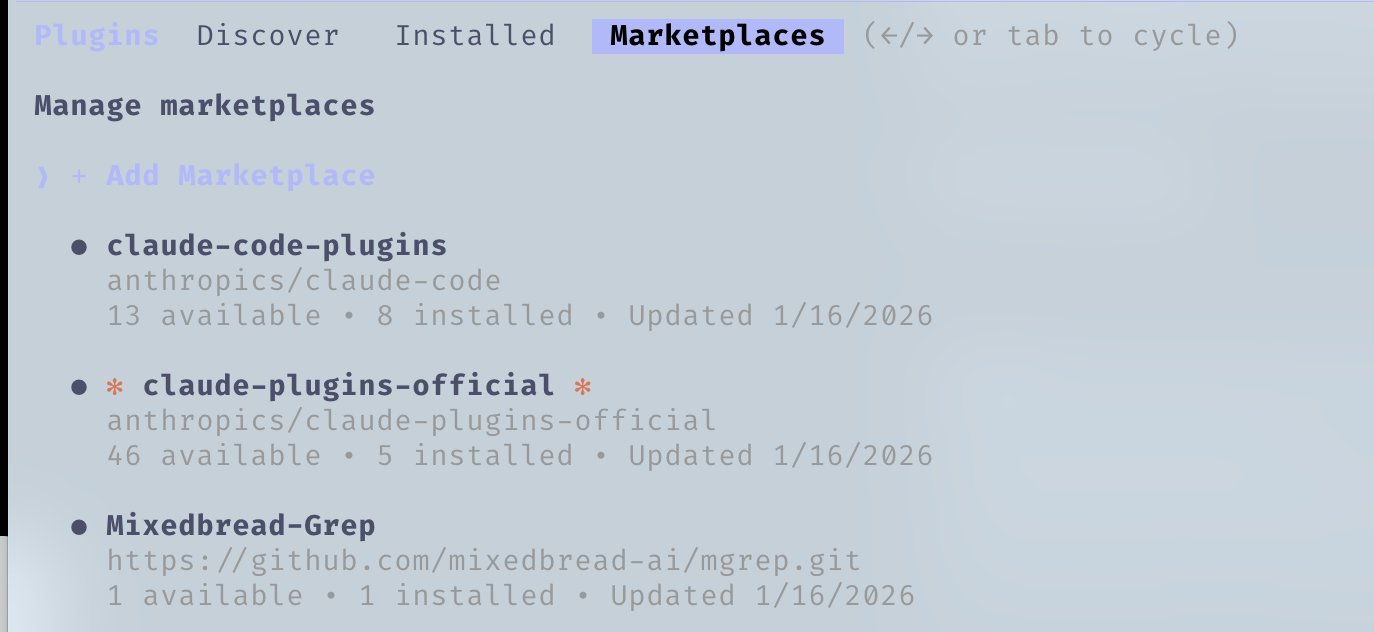
LSP Plugins are particularly useful if you run Claude Code outside editors frequently. Language Server Protocol gives Claude real-time type checking, go-to-definition, and intelligent completions without needing an IDE open.
# Enabled plugins example
typescript-lsp@claude-plugins-official  # TypeScript intelligence
pyright-lsp@claude-plugins-official    # Python type checking
hookify@claude-plugins-official        # Create hooks conversationally
mgrep@Mixedbread-Grep # Better search than ripgrepSame warning as MCPs — watch your context window.
Tips and Tricks
Keyboard Shortcuts
Ctrl+U— Delete entire line (faster than backspace spam)!— Quick bash command prefix@— Search for files/— Initiate slash commandsShift+Enter— Multi-line inputTab— Toggle thinking displayEsc Esc— Interrupt Claude / restore code
Parallel Workflows
- Fork (
/fork) — Fork conversations to do non-overlapping tasks in parallel instead of spamming queued messages - Git Worktrees — For overlapping parallel Claudes without conflicts. Each worktree is an independent checkout
git worktree add ../feature-branch feature-branch
# Now run separate Claude instances in each worktreetmux for Long-Running Commands
Stream and watch logs/bash processes Claude runs:
tmux new -s dev
# Claude runs commands here, you can detach and reattach
tmux attach -t devmgrep > grep
mgrep is a significant improvement from ripgrep/grep. Install via plugin marketplace, then use the /mgrep skill. Works with both local search and web search.
mgrep "function handleSubmit"               # Local search
mgrep --web "Next.js 15 app router changes" # Web searchOther Useful Commands
/rewind— Go back to a previous state/statusline— Customize with branch, context %, todos/checkpoints— File-level undo points/compact— Manually trigger context compaction
GitHub Actions CI/CD
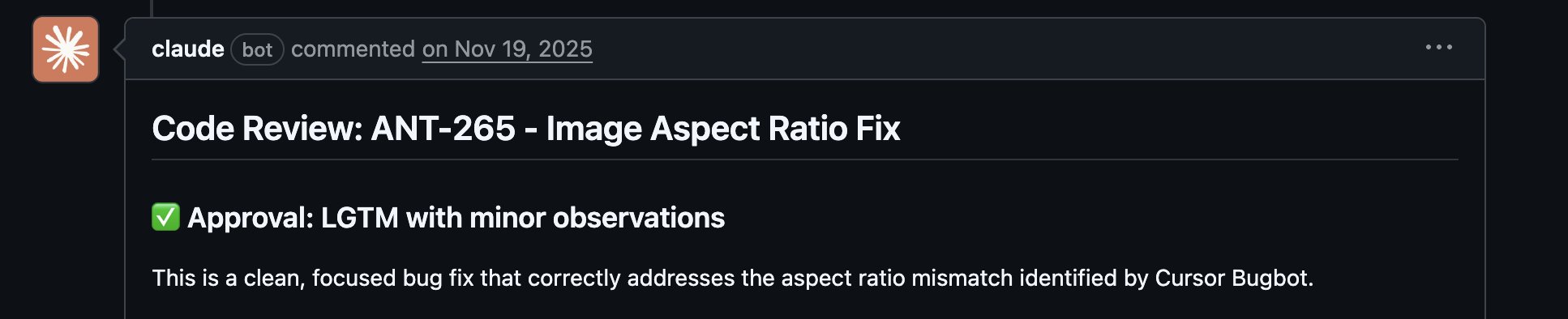
Set up code review on your PRs with GitHub Actions. Claude can review PRs automatically when configured.
Sandboxing
Use sandbox mode for risky operations — Claude runs in a restricted environment without affecting your actual system.
On Editors
Your editor choice significantly impacts Claude Code workflow. While Claude Code works from any terminal, pairing it with a capable editor unlocks real-time file tracking, quick navigation, and integrated command execution.
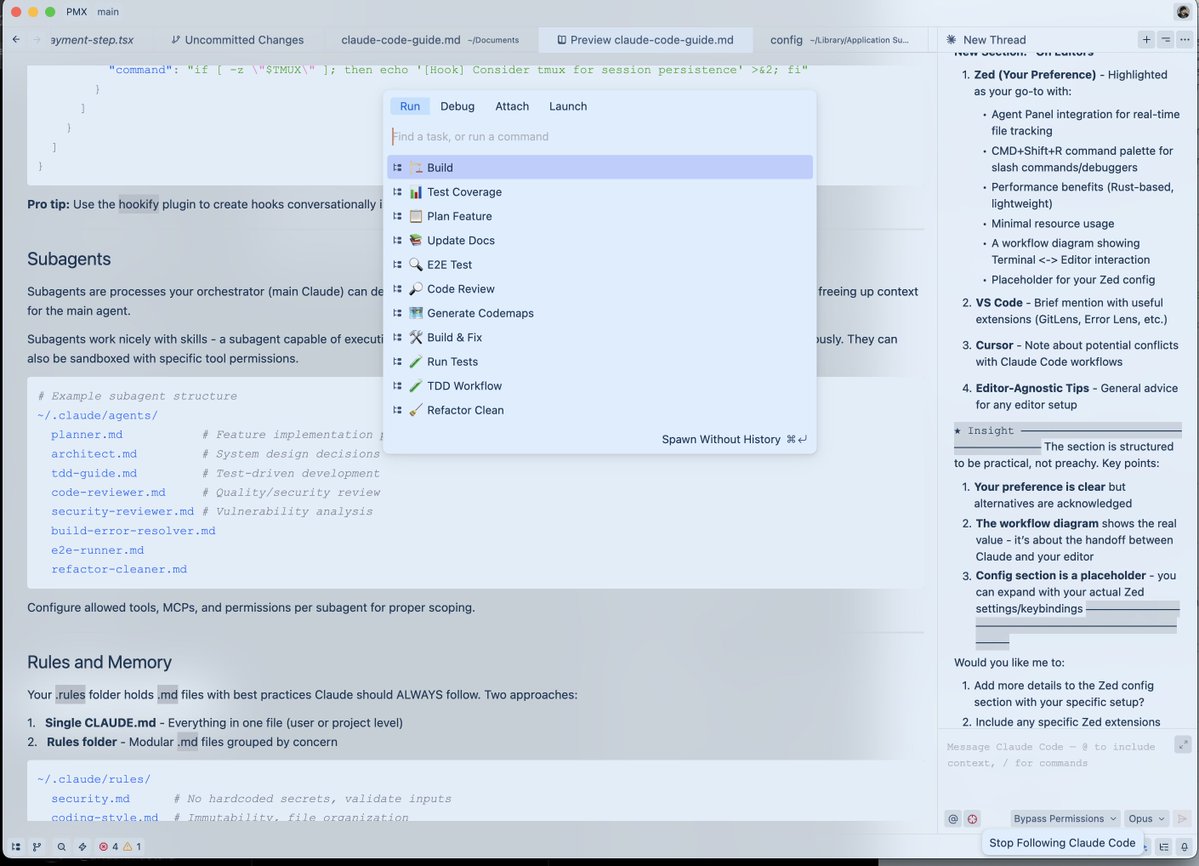
Zed (Recommended)
Zed is written in Rust, so it's genuinely fast. Opens instantly, handles massive codebases without breaking a sweat, and barely touches system resources.
Why Zed + Claude Code is a great combo:
- Speed — Rust-based performance means no lag when Claude is rapidly editing files. Your editor keeps up.
- Agent Panel Integration — Zed's Claude integration lets you track file changes in real-time as Claude edits.
- CMD+Shift+R Command Palette — Quick access to all your custom slash commands, debuggers, build scripts in a searchable UI.
- Minimal Resource Usage — Won't compete with Claude for RAM/CPU during heavy operations. Important when running Opus.
- Vim Mode — Full vim keybindings if that's your thing.
Editor-Agnostic Tips:
- Split your screen — Terminal with Claude Code on one side, editor on the other
- Ctrl + G — Quickly open the file Claude is currently working on (Zed)
- Auto-save — Enable autosave so Claude's file reads are always current
- Git integration — Use editor's git features to review Claude's changes before committing
- File watchers — Most editors auto-reload changed files, verify this is enabled
VSCode / Cursor
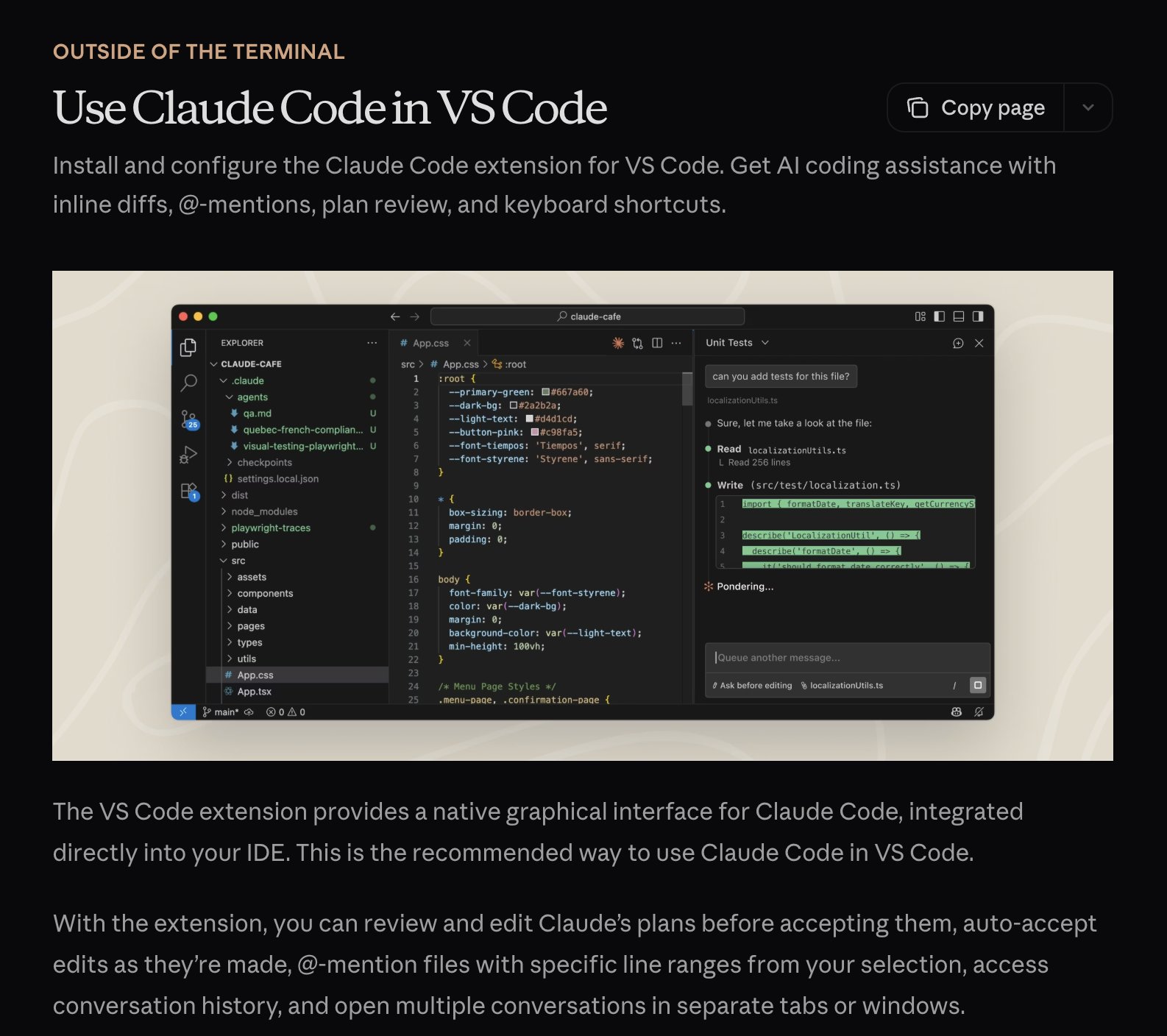
This is also a viable choice and works well with Claude Code. You can use it in terminal format with automatic sync using \ide enabling LSP functionality, or opt for the extension which is more integrated with the editor.
My Setup
Plugins (4–5 enabled at a time)
ralph-wiggum@claude-code-plugins       # Loop automation
frontend-design@claude-code-plugins    # UI/UX patterns
commit-commands@claude-code-plugins    # Git workflow
security-guidance@claude-code-plugins  # Security checks
typescript-lsp@claude-plugins-official # TS intelligence
hookify@claude-plugins-official        # Hook creation
context7@claude-plugins-official       # Live documentation
mgrep@Mixedbread-Grep                  # Better search
MCP Servers (user level)
{
  "github":             { "command": "npx", "args": ["-y", "@modelcontextprotocol/server-github"] },
  "firecrawl":          { "command": "npx", "args": ["-y", "firecrawl-mcp"] },
  "supabase":           { "command": "npx", "args": ["-y", "@supabase/mcp-server-supabase@latest", "--project-ref=YOUR_REF"] },
  "memory":             { "command": "npx", "args": ["-y", "@modelcontextprotocol/server-memory"] },
  "sequential-thinking":{ "command": "npx", "args": ["-y", "@modelcontextprotocol/server-sequential-thinking"] },
  "vercel":             { "type": "http", "url": "https://mcp.vercel.com" },
  "railway":            { "command": "npx", "args": ["-y", "@railway/mcp-server"] },
  "cloudflare-docs":    { "type": "http", "url": "https://docs.mcp.cloudflare.com/mcp" },
  "clickhouse":         { "type": "http", "url": "https://mcp.clickhouse.cloud/mcp" },
  "magic":              { "command": "npx", "args": ["-y", "@magicuidesign/mcp@latest"] }
}14 MCPs configured, only ~5–6 enabled per project. Keeps context window healthy.
Key Hooks
{
  "PreToolUse": [
    { "matcher": "npm|pnpm|yarn|cargo|pytest",     "hooks": ["tmux reminder"] },
    { "matcher": "Write && .md file",              "hooks": ["block unless README/CLAUDE"] },
    { "matcher": "git push",                       "hooks": ["open editor for review"] }
  ],
  "PostToolUse": [
    { "matcher": "Edit && .ts/.tsx/.js/.jsx",      "hooks": ["prettier --write"] },
    { "matcher": "Edit && .ts/.tsx",               "hooks": ["tsc --noEmit"] },
    { "matcher": "Edit",                           "hooks": ["grep console.log warning"] }
  ],
  "Stop": [
    { "matcher": "*",                              "hooks": ["check modified files for console.log"] }
  ]
}Custom Status Line
affoon:~ ctx:65% Opus 4.5 19:52
▌▌ plan mode on (shift+tab to cycle)

Rules Structure
~/.claude/rules/
  security.md      # Mandatory security checks
  coding-style.md  # Immutability, file size limits
  testing.md       # TDD, 80% coverage
  git-workflow.md  # Conventional commits
  agents.md        # Subagent delegation rules
  patterns.md      # API response formats
  performance.md   # Model selection (Haiku vs Sonnet vs Opus)
  hooks.md         # Hook documentation
Subagents
~/.claude/agents/
  planner.md             # Break down features
  architect.md           # System design
  tdd-guide.md           # Write tests first
  code-reviewer.md       # Quality review
  security-reviewer.md   # Vulnerability scan
  build-error-resolver.md
  e2e-runner.md          # Playwright tests
  refactor-cleaner.md    # Dead code removal
  doc-updater.md         # Keep docs synced
Key Takeaways
- Don't overcomplicate — treat configuration like fine-tuning, not architecture
- Context window is precious — disable unused MCPs and plugins
- Parallel execution — fork conversations, use git worktrees
- Automate the repetitive — hooks for formatting, linting, reminders
- Scope your subagents — limited tools = focused execution
References
- Plugins Reference
- Hooks Documentation
- Checkpointing
- Interactive Mode
- Memory System
- Subagents
- MCP Overview
- The Longform Guide — Advanced patterns (token economics, memory persistence, evals, parallelization)
Won the Anthropic × Forum Ventures hackathon in NYC building zenith.chat with @DRodriguezFX